Drag, drop, block
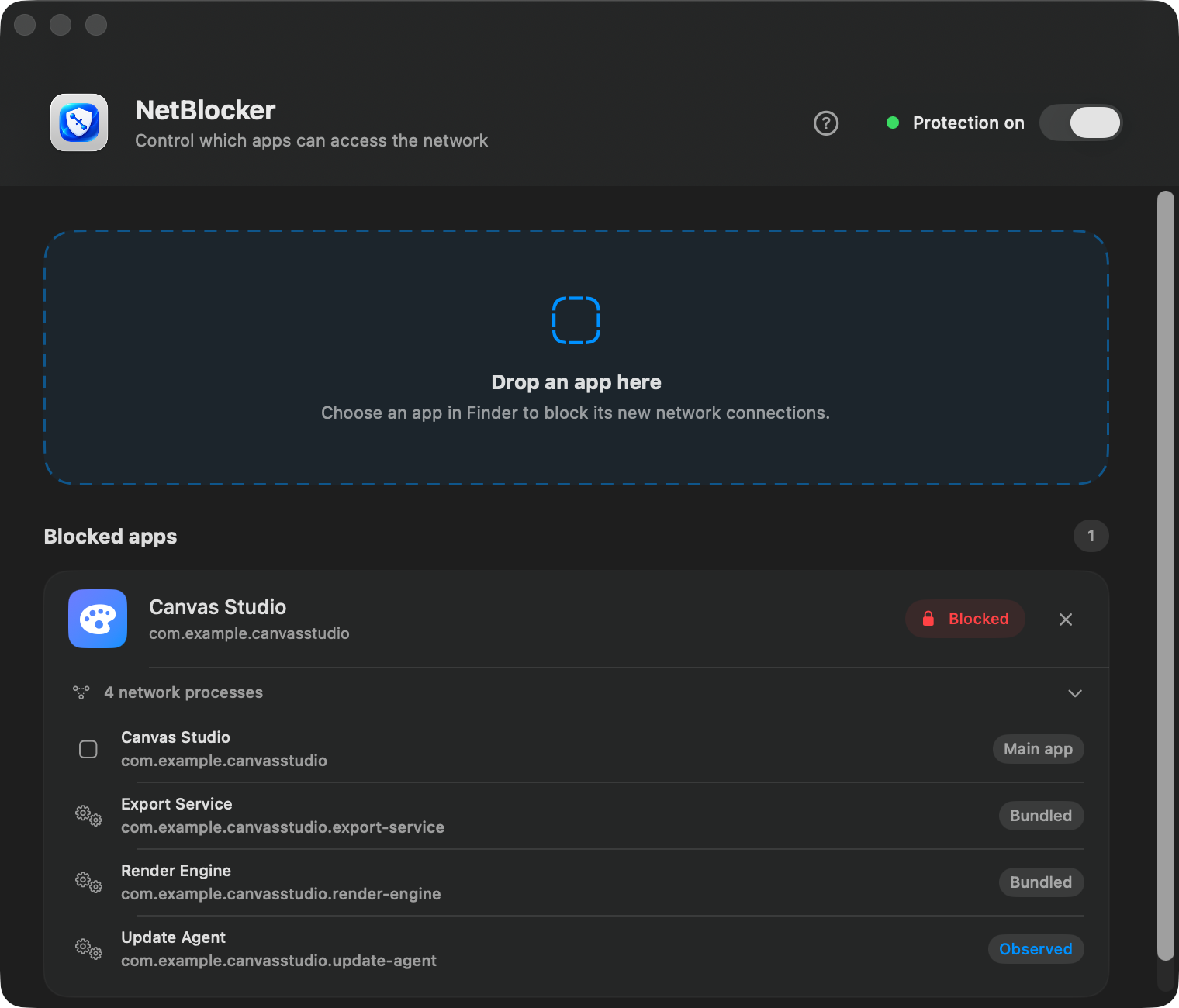
Add an app from Finder instead of creating endpoint, port, or protocol rules.
 NetBlockerDownload
Mac app firewall download
Block selected apps from making new internet connections without turning off Wi-Fi for the rest of your Mac.
Why NetBlocker
Choose what should stay offline. NetBlocker handles the connection decision locally on your Mac.
Add an app from Finder instead of creating endpoint, port, or protocol rules.
Expand an app to see bundled helpers and other components NetBlocker can associate confidently.
NetBlocker follows your blocked-app list instead of asking for a decision on every destination.
Your blocked-app list stays on your Mac, and NetBlocker does not inspect the contents of your traffic.
Installation
Open the DMG and move NetBlocker into the Applications folder.
Allow the Network Extension in macOS System Settings when prompted.
Turn on protection and drag the app you want to keep offline into NetBlocker.
Safe download
Apple has notarized both the app and its disk image. macOS Gatekeeper can verify the public release before it opens.
Read about security and privacy →ceafcd694d2517710472bfe60125edbfe2f9d032502d64e6f4cc939d4b0fa02cUse this checksum to confirm that the downloaded DMG matches the published release.Practical guides
Clear instructions and comparisons before you install anything.
Keep one selected app offline without turning off Wi-Fi for everything else.
Understand desktop-app rules, cached messages, related processes, and Teams for Web.
Block new connections and verify the result without making claims the traffic cannot prove.
Choose between NetBlocker, LuLu, Radio Silence, and Little Snitch by workflow.
Before you download
Yes. The download includes a seven-day trial with every feature available and no payment card required. A lifetime license costs €4.99 after the trial.
Yes. The lifetime license includes a 30-day money-back guarantee measured from the original purchase date.
Yes. Add the selected app to NetBlocker and the rest of your Mac can remain online. Quit and reopen the blocked app once so existing connections are closed.
The firewall included with macOS primarily controls incoming connections. NetBlocker is designed to control new outgoing connections from selected apps.
No. NetBlocker is built exclusively for Apple silicon Macs, including M1 and newer, running macOS 13 Ventura or later.
Try every feature for seven days. Buy once for €4.99, backed by a 30-day money-back guarantee.
Read the refund policy